How to Make an rDNS Request
To submit a Reverse DNS (rDNS) request, the IP-Block must meet the following conditions:
- The block must be leased to the Customer
- The block must have an Assignment Request with status Approved or Active
- The Supplier must allow rDNS configuration for the block
⚠️ Please make sure you configure your name servers correctly before submitting an rDNS request.
You can refer to the official guide here: Configuring Reverse DNS — RIPE Database
1. Ways to Access rDNS Request Form
You can initiate an rDNS request in one of the following ways:
- From the context menu of the Assignment Request
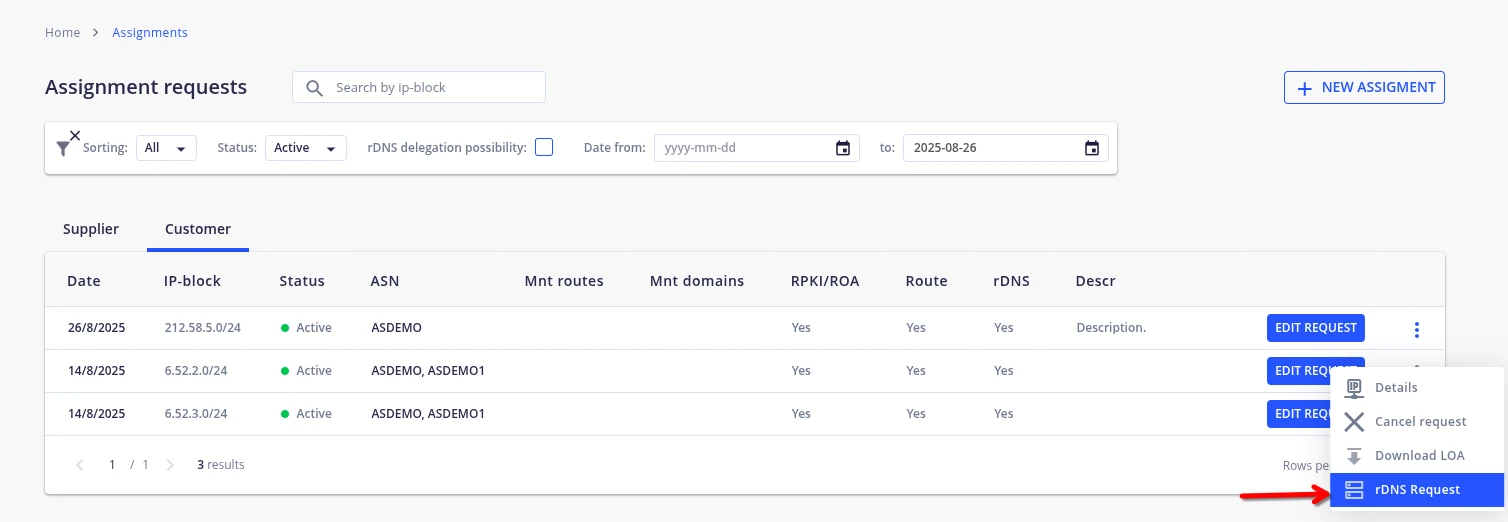
- From the details page of the Assignment Request
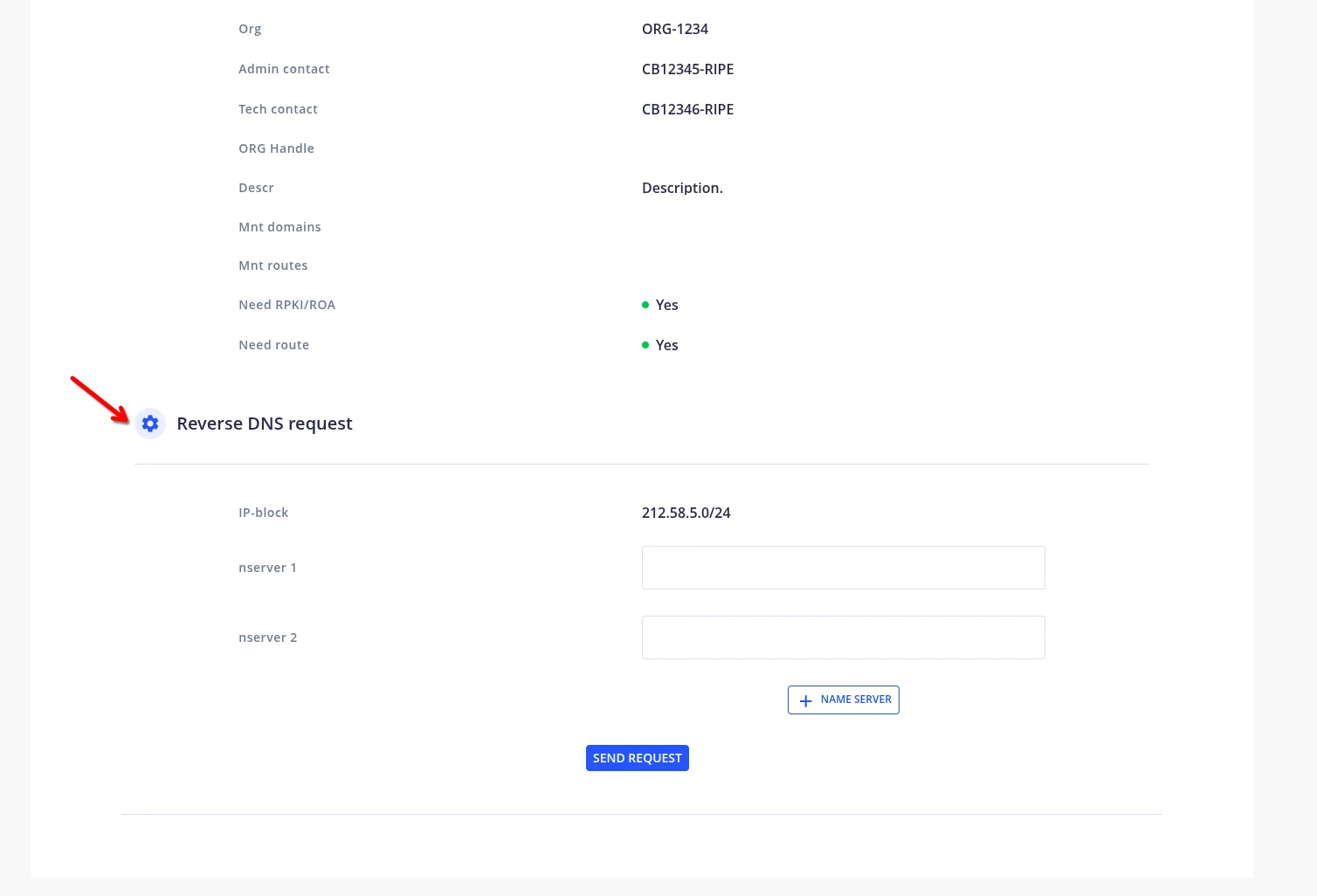
- From the rDNS management page
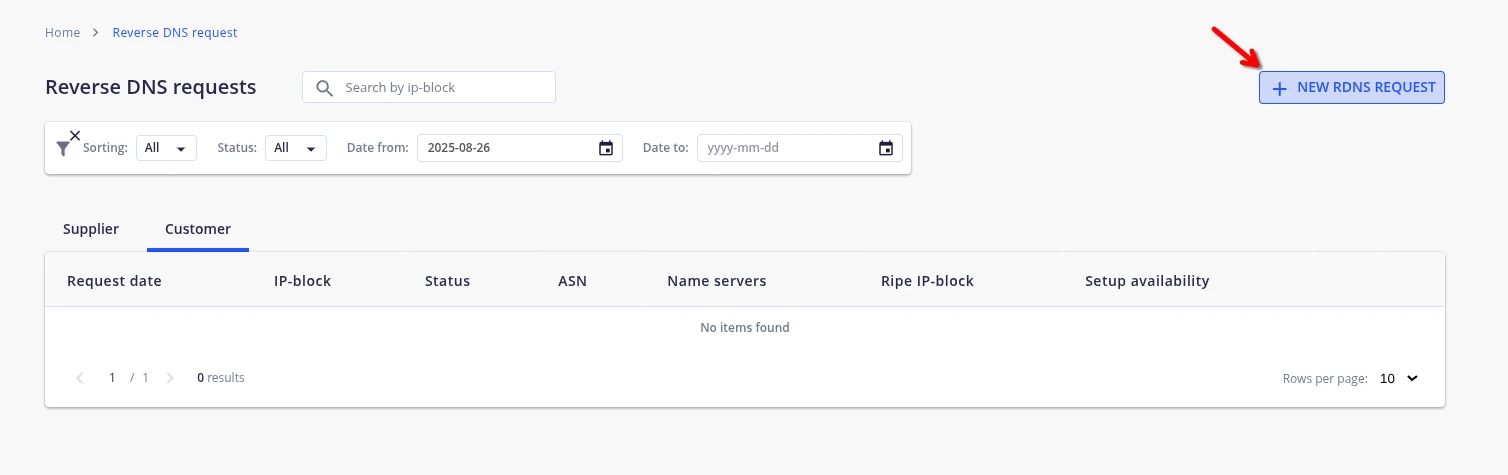
2. Submitting the rDNS Request
- Enter one or more
nservervalues in the form (name servers for reverse DNS delegation) - Click Send Request to submit
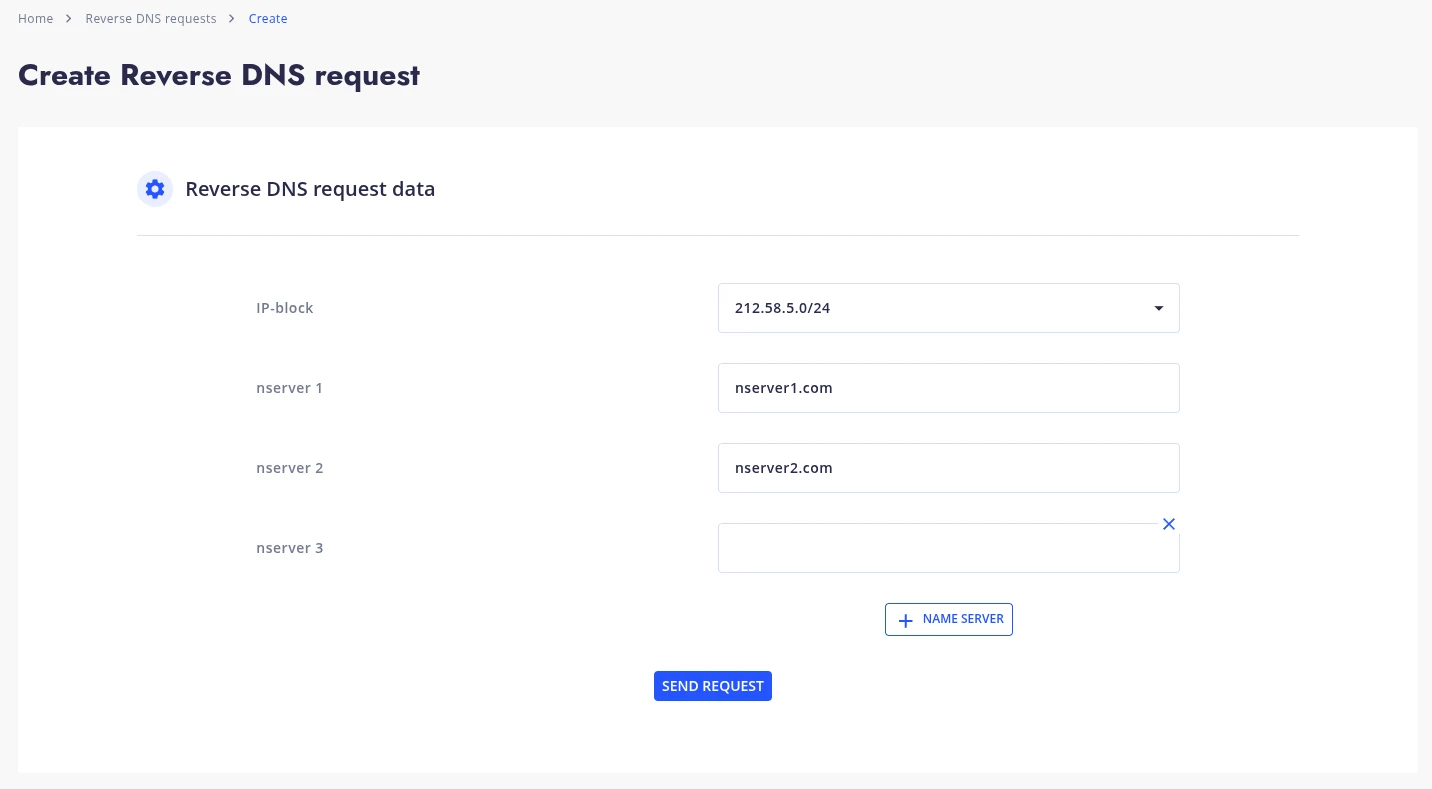
- The request status will become
Waiting rDNS setwhile it is being processed by the Supplier
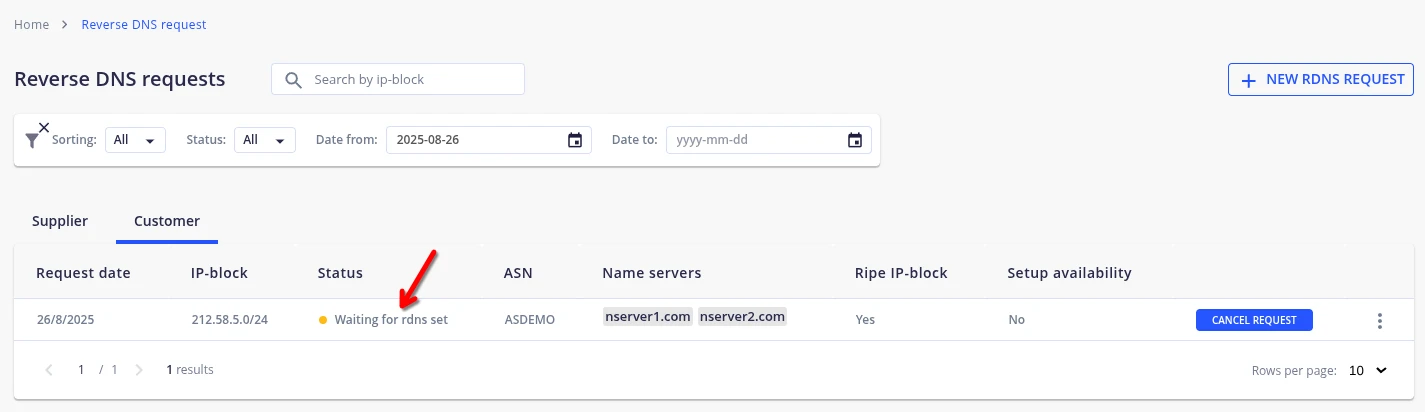 Once the Supplier has successfully configured the rDNS, the status will be updated to
 rDNS is set.
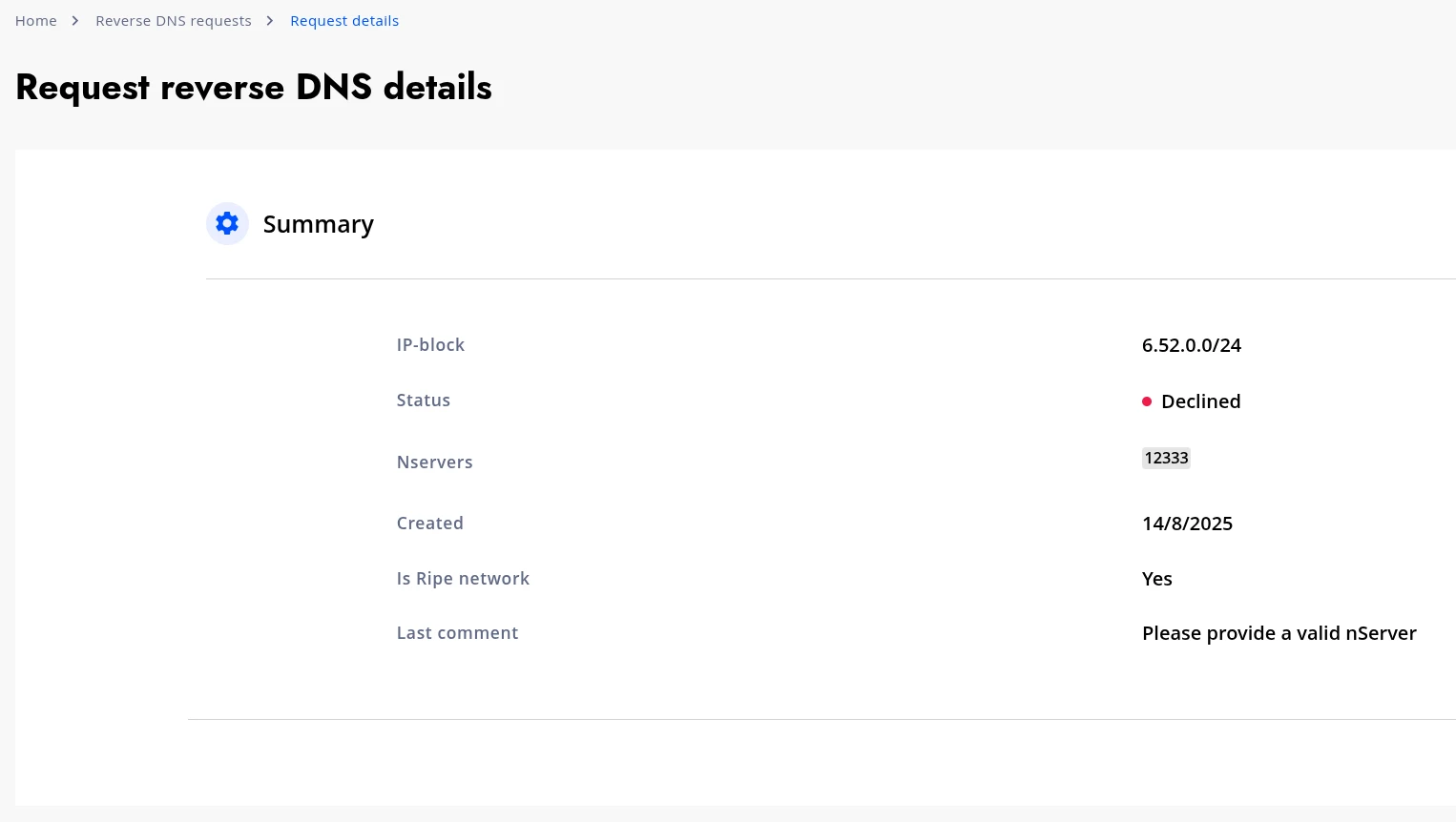
If your request is declined, you can open the details of your rDNS request by clicking Details in the context menu.
On the details page, in the Last comment field, you will find additional information explaining why the request was declined.
Editing a request will automatically cancel the previous one and create a new updated version.
3. Editing or Canceling the Request
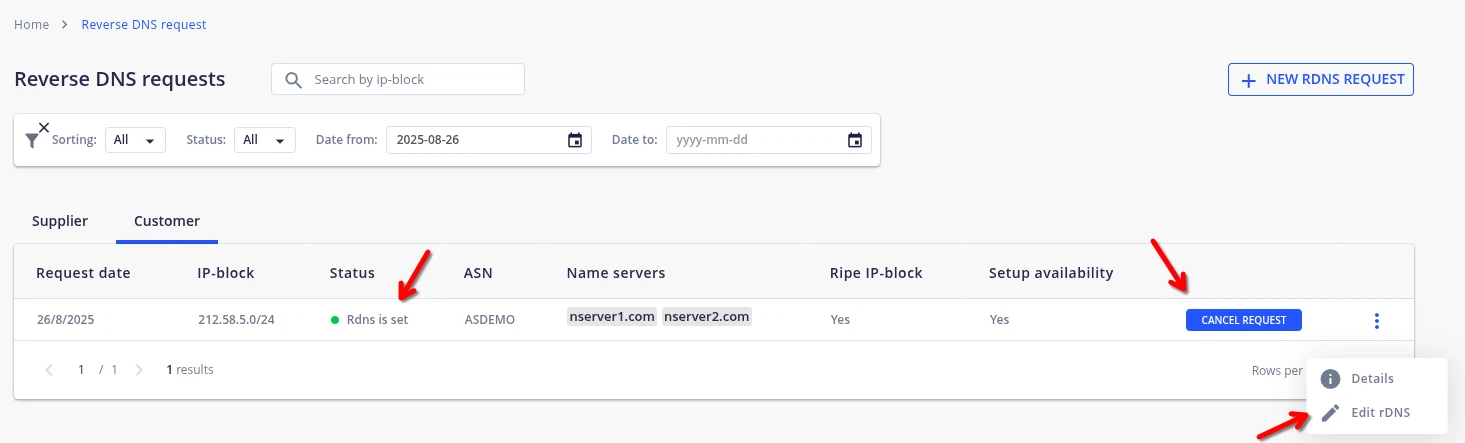
- You can cancel the request using the Cancel Request button
- To make changes, click Edit rDNS from:
- The context menu of the rDNS request
- Or the AR details page
Editing a request will automatically cancel the previous one and create a new updated version.
🛈 Note: rDNS delegation is only possible if permitted by the Supplier of the block.